1、创建工程
scrapy startproject qsbk
cd qsbk
2、创建爬虫
scrapy genspider qsbk_spider qiushibaike.com
3、分析页面
入口地址
https://www.qiushibaike.com/text/page/1/
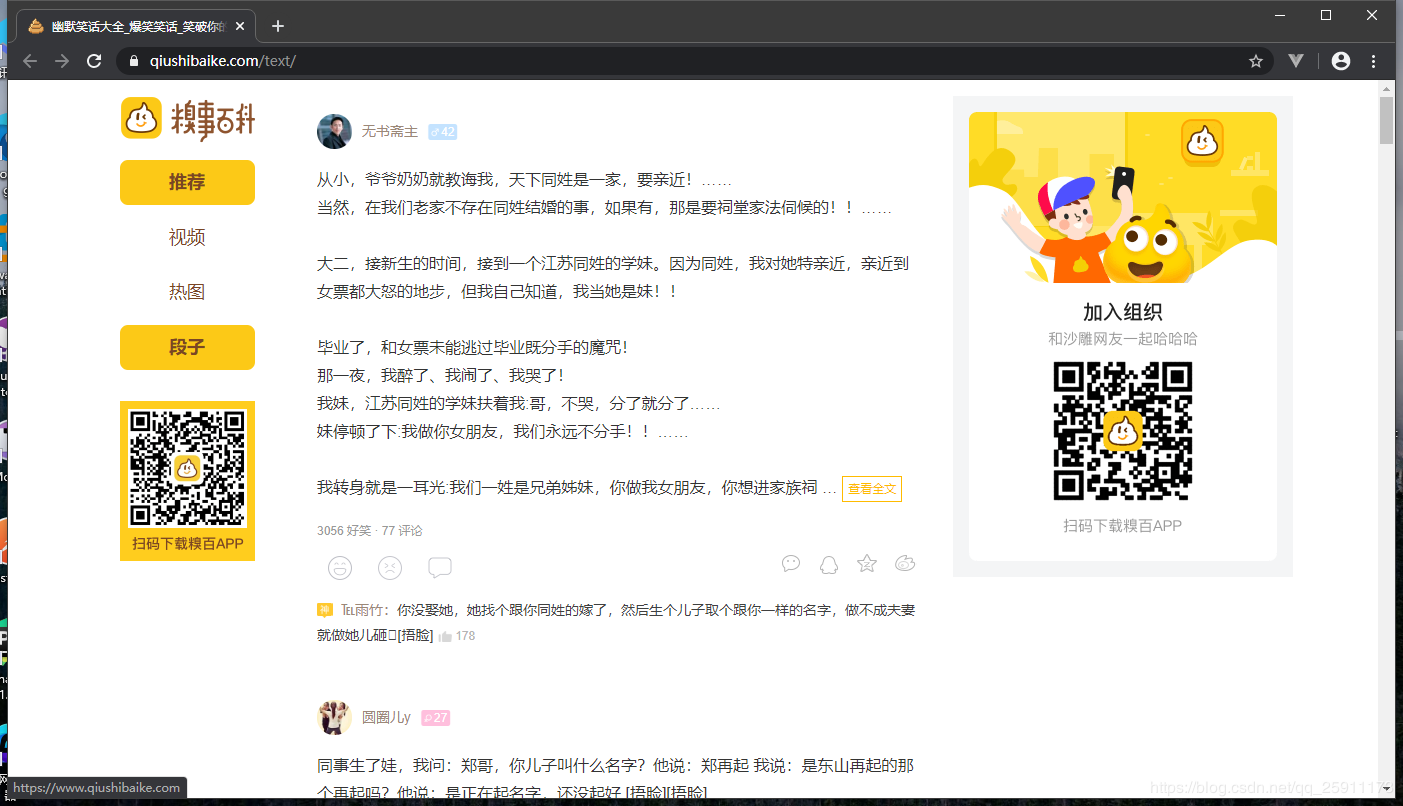
通过page路由分页
4、单页面爬取
qsbk_spider.py
# -*- coding: utf-8 -*-
import scrapy
from qsbk.items import QsbkItem
class QsbkSpiderSpider(scrapy.Spider):
name = 'qsbk_spider' # 爬虫名称
allowed_domains = ['qiushibaike.com'] # 爬取的域名
start_urls = ['https://www.qiushibaike.com/text/page/1/'] # 入口地址
def parse(self, response):
# 获取所有段子
content_list = response.xpath("//div[@class='col1 old-style-col1']/div")
# 遍历列表获取到每个段子
for content in content_list:
# 得到作者
author = content.xpath(".//h2/text()").get().strip()
# 得到文字内容
content_text = content.xpath('.//div[@class="content"]/span//text()').getall()
# 使用getall获取的内容为列表形式 需要转为字符串
content_text = "".join(content_text).strip()
# 新的item对象 从item文件中定义 需要配置 ITEM_PIPELINES 参数
item = QsbkItem(author=author,content = content_text)
# 传递这个对象给 pipelines
yield item
item.py
# -*- coding: utf-8 -*-
# Define here the models for your scraped items
#
# See documentation in:
# https://docs.scrapy.org/en/latest/topics/items.html
import scrapy
# 定义每个元素的存储模板
class QsbkItem(scrapy.Item):
# define the fields for your item here like:
# name = scrapy.Field()
author = scrapy.Field()
content = scrapy.Field()
1.需要注册 ITEM_PIPELINES配置才能生效
pipelines.py
import json
from scrapy.exporters import JsonItemExporter,JsonLinesItemExporter
# 以行的方式保存每个json对象 优点可以按行读取缺点不能一下读取
class QsbkPipeline:
# 存储为json文件 需要打开一个文件
# 使用JsonLinesItemExporter或JsonItemExporter 需要wb方式打开
def __init__(self):
# 打开文件
self.exporter = JsonLinesItemExporter(self.fp, ensure_ascii=False, encoding="utf-8", indent=4)
self.fp = open("duanzi.json", 'wb')
# 注册文件对象
def open_spider(self, spider):
# 爬取开始时
pass
def close_spider(self, spider):
# 爬取结束时关闭文件
self.fp.close()
def process_item(self, item, spider):
# 将每一项以行的方式写入文件
self.exporter.export_item(item)
return item
另一种存储形式
# 按列表方式储存json 优点 可以一下读取,缺点 不能按行读取
class QsbkPipeline:
def __init__(self):
self.fp = open("duanzi.json", 'wb')
def open_spider(self, spider):
self.exporter = JsonItemExporter(self.fp, ensure_ascii=False, encoding="utf-8",indent=4)
# 要写入到json文件
self.exporter.start_exporting()
def close_spider(self, spider):
self.exporter.finish_exporting()
self.fp.close()
def process_item(self, item, spider):
self.exporter.export_item(item)
return item
还有一种存储方式就是把爬取到的每一条都存进列表然后返回列表给pipelines统一存储到文件但是占内存多
爬取到的数据
5.运行爬虫
scrapy crawl qsbk_spider
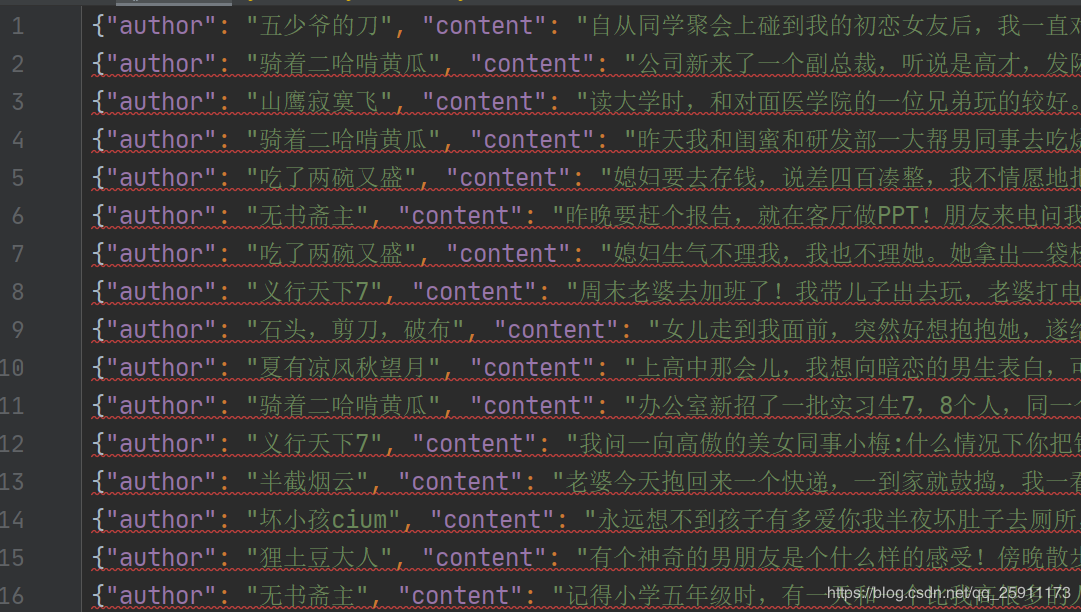
通过行的形式写入可以以行的形式进行读取,缺点是不能一下读取为字典对象不满足json规则
6、多页爬取
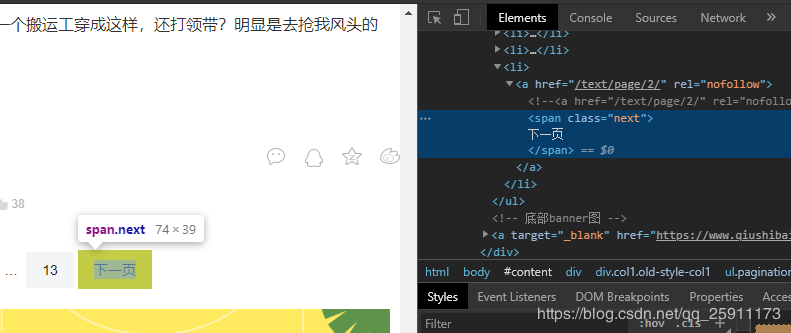
7、分析下一页的链接在 类名是pagination 的ul的最后一个li的a标签中
qsbk_spider.py
# -*- coding: utf-8 -*-
import scrapy
from qsbk.items import QsbkItem
class QsbkSpiderSpider(scrapy.Spider):
name = 'qsbk_spider' # 爬虫名称
allowed_domains = ['qiushibaike.com'] # 爬取的域名
base_url = "https://www.qiushibaike.com" # 定义基础url 和分页url相加
start_urls = [base_url+'/text/page/1/'] # 入口地址
def parse(self, response):
# 获取所有段子
content_list = response.xpath("//div[@class='col1 old-style-col1']/div")
# 遍历列表获取到每个段子
for content in content_list:
# 得到作者
author = content.xpath(".//h2/text()").get().strip()
# 得到文字内容
content_text = content.xpath('.//div[@class="content"]/span//text()').getall()
# 使用getall获取的内容为列表形式 需要转为字符串
content_text = "".join(content_text).strip()
# 新的item对象 从item文件中定义 需要配置 ITEM_PIPELINES 参数
item = QsbkItem(author=author,content = content_text)
# 传递这个对象给 pipelines
yield item
# 获取下一页的链接
next_link = content.xpath('//ul[@class="pagination"]/li[last()]/a/@href').get()
if not next_link:
# 如果没有及返回程序结束 共计13页
return
else:
# 分发新任务到
yield scrapy.Request(self.base_url + next_link, callback=self.parse
8、运行结果
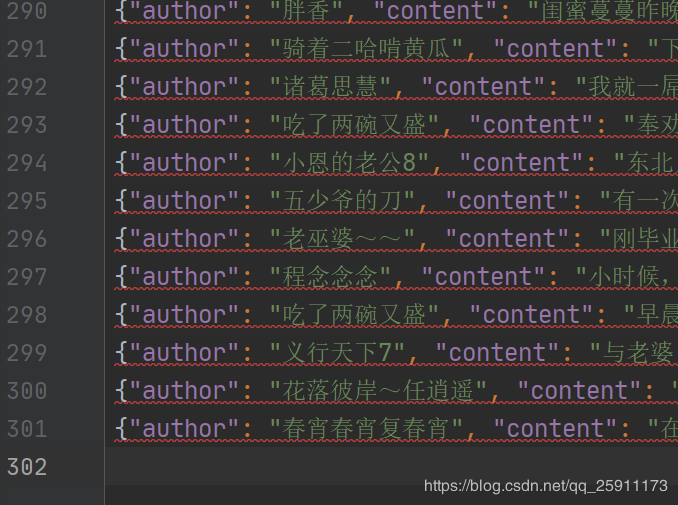
共计301行 的json